Install the plugin.
Download the ZIP. In IDEA, open Settings → Plugins → the gear menu → Install Plugin from Disk.

IntelliJ IDEA · macOS project tabs
A little color. A familiar icon. The Git context you need. Make every project feel right at home.

Version 0.3.107 · Install from disk · macOS
100+icons to choose from
8 themesin the live preview
Your stylesaved in presets
A workspace that feels like yours
Give your projects distinct icons, outlines and fills. Keep related work together in groups. See the current branch and saved-line changes beside the project name.
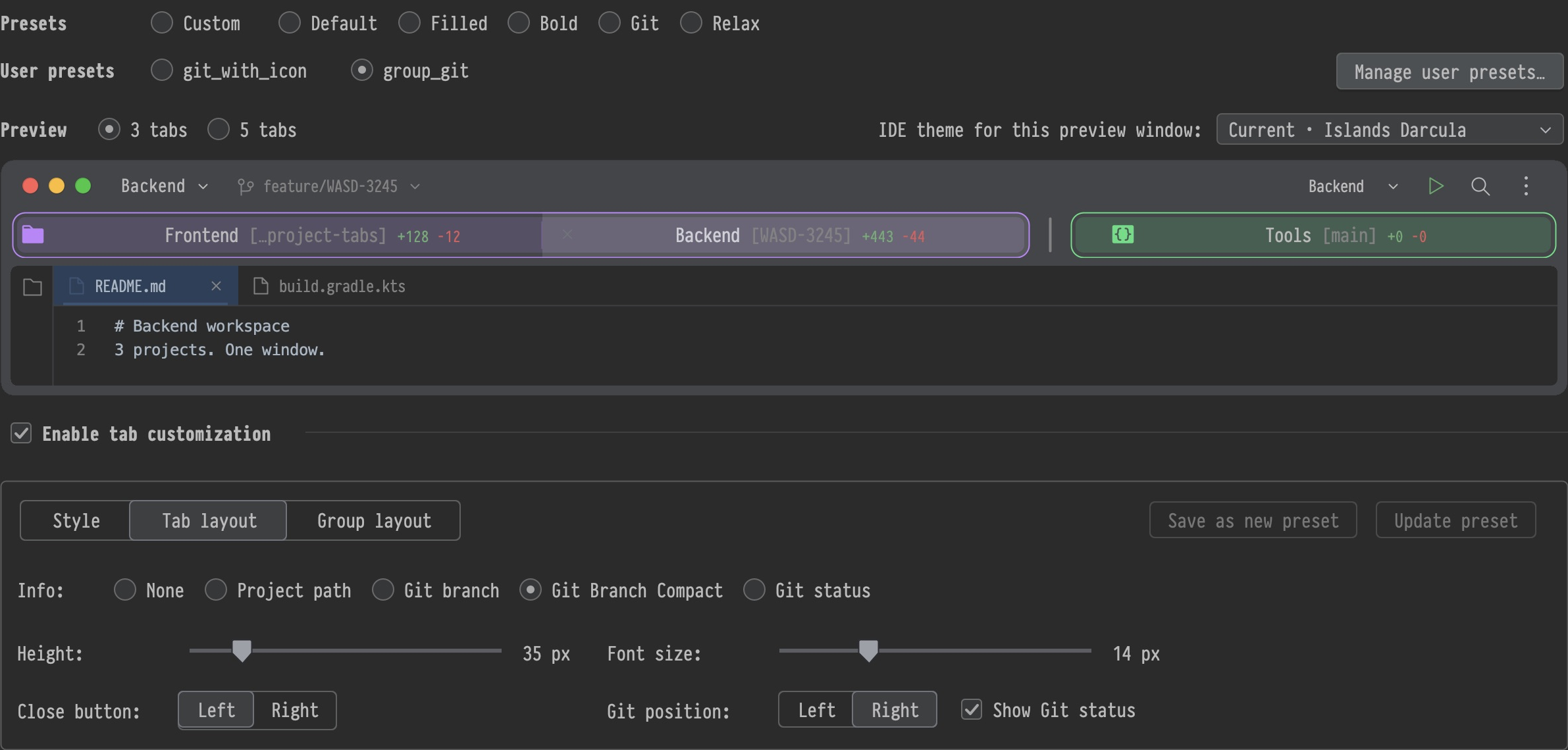
More than a color label
Choose from 100+ icons, search by category and pick a color. Prefer initials? The plugin also uses the icon already assigned in IDEA.
Adjust tab height, type size, icon position, outlines and fills independently. Save combinations you want to come back to.

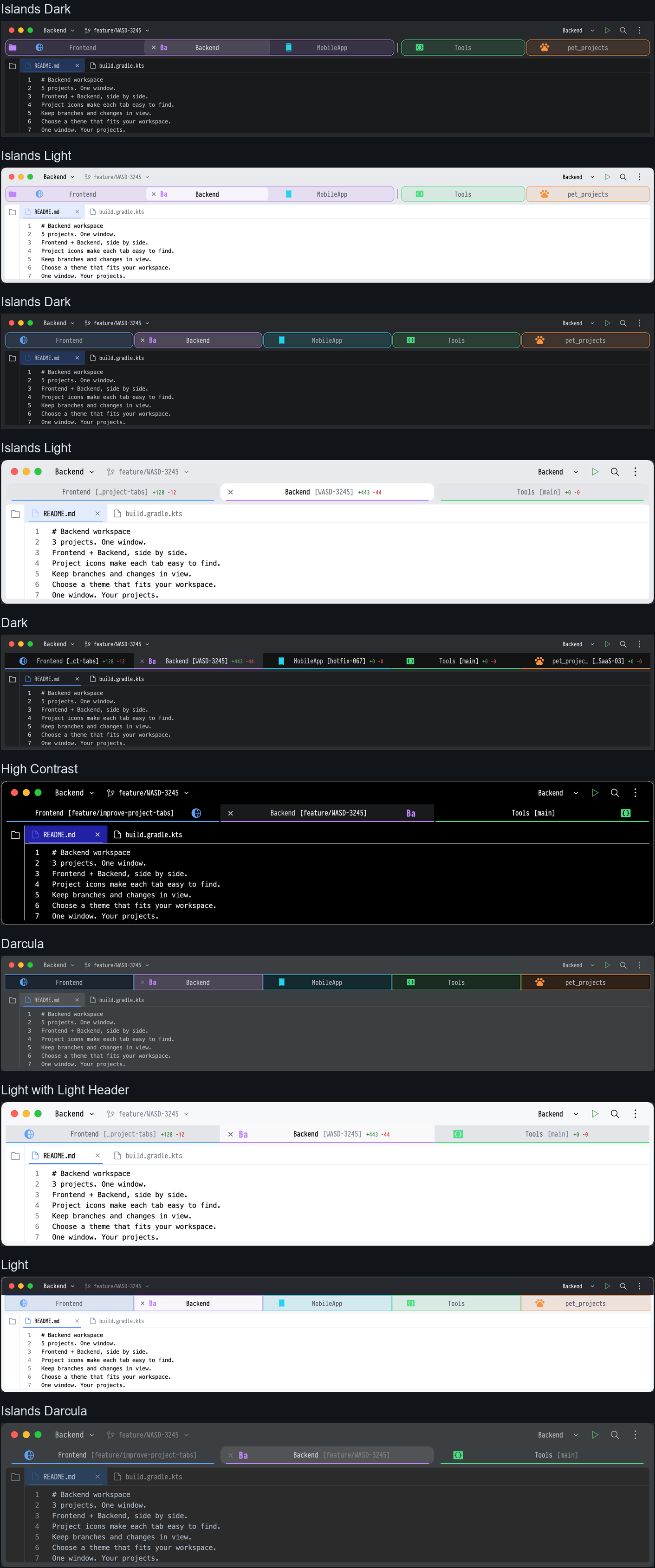
Fits your theme
Try three or five sample tabs across eight IDE themes before applying your changes. Tune active highlights and inactive dimming, or start with a ready-made preset.
Ready for your next project
Project Tab Icons customizes macOS project window tabs in IntelliJ IDEA. It’s available as a ZIP from GitHub.
Download the ZIP. In IDEA, open Settings → Plugins → the gear menu → Install Plugin from Disk.
Open projects in separate windows, then choose Window → Merge All Project Windows.
Open Settings → Appearance & Behavior → Project Tab Icons. Choose a preset, adjust the preview and apply.
Check the repository for current IDE compatibility and installation details. IntelliJ IDEA is a trademark of JetBrains s.r.o.